Project
oskey
Consistent keyboard shortcuts on Mac, Windows and Linux (ZMK).
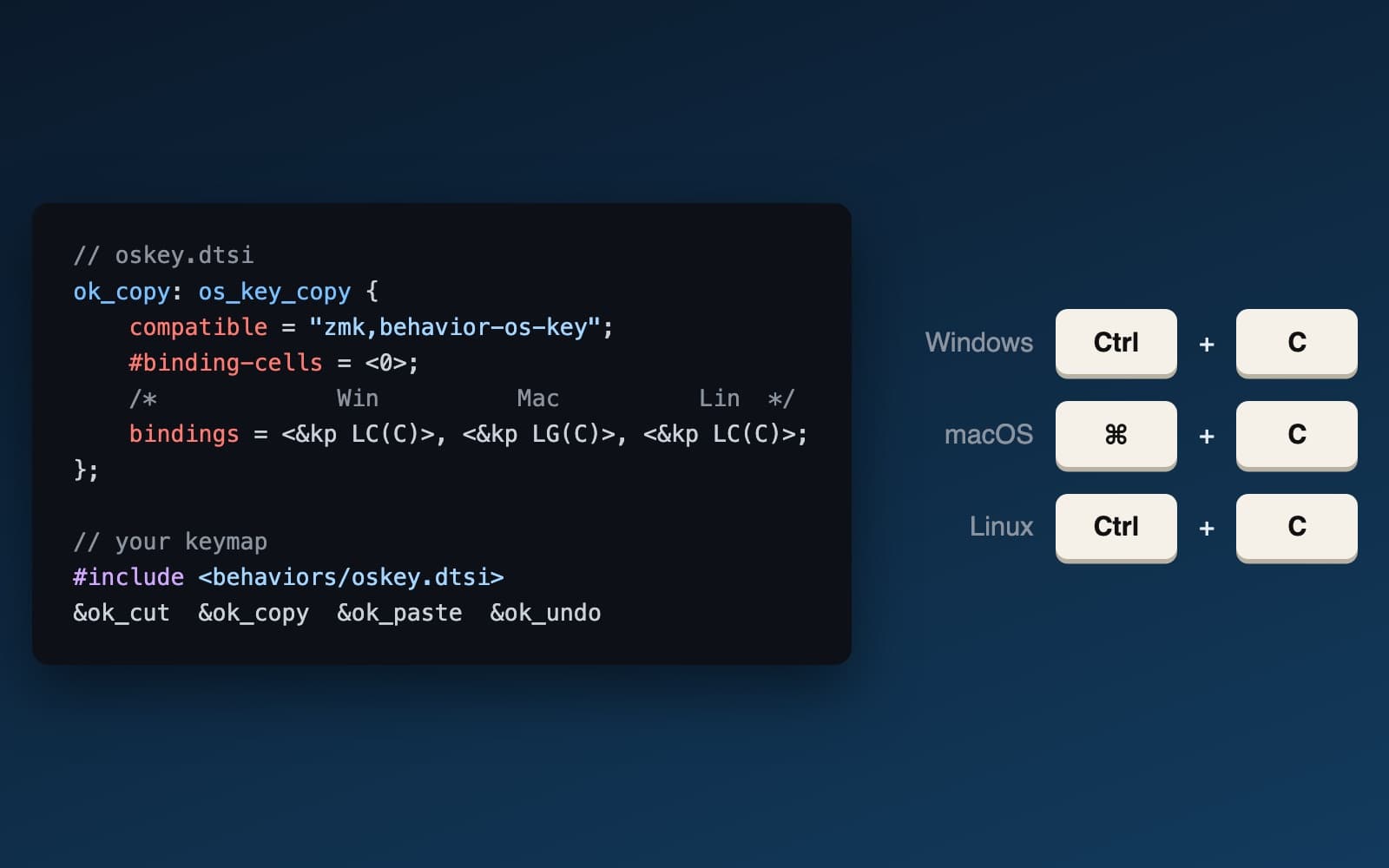
What it is
oskey is a module for ZMK, the open source firmware that runs lots of wireless programmable keyboards. It lets one key send a different shortcut depending on which operating system you're using: Ctrl + C on Windows and Linux, ⌘ + C on a Mac. You tell the keyboard which OS it's talking to with a key, or with a macro that switches Bluetooth channel and OS in one go, and it comes with over 40 common actions (copy, paste, quit, next word, start of line...) already defined.
Why I built it
In my day job I maintain Sentry's .NET SDK, and .NET runs everywhere, so I end up working everywhere too: ASP.NET on Windows, iOS on macOS. Every time I switched machines I had to switch shortcuts as well. Copy and paste you can fix by remapping a key, but jumping a word, going to the start of a line or switching apps are different combinations on every OS, and there's no one key you can remap to fix them.
Remembering which OS I'm on and which shortcut it wants is cognitive overload I just don't need. So rather than a keyboard that makes it easy to press whatever the OS asks for, I wanted a Copy key that copies, everywhere. Out of the box ZMK can't tell which OS it's connected to, or send a different key depending on it, so I built a custom behaviour that does both.
Where it's at
I use it every day, switching between my Mac and my Windows machine from the Bluetooth layer on my keyboard. Once I'd moved those actions onto a command layer, it took about 48 hours before I'd almost stopped reaching for modifier keys at all.
It works with the current stable ZMK release and with ZMK's main branch, which is heading for 0.4.0. The Linux shortcuts are tuned for Ubuntu.