Project
keyviz
Turns a keyboard layout into a guided tour you can share.
What it is
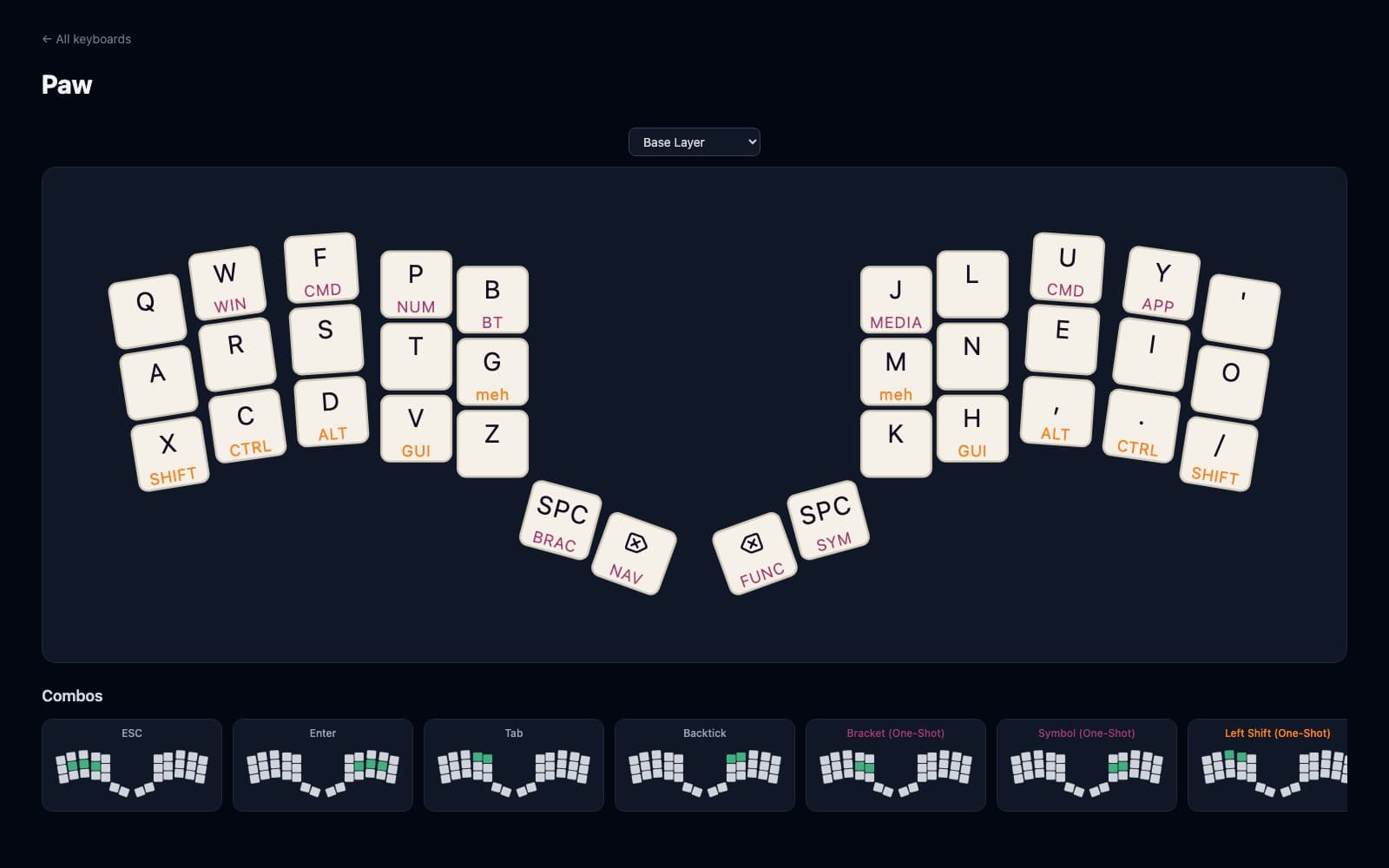
keyviz turns a keyboard layout into an interactive diagram you can share. You describe where the keys sit and what each one does in a couple of text files (the bindings can be pasted straight in from a ZMK keymap), and it builds a static site. Hold a layer key and the diagram switches to that layer; combos show as arcs between the keys they join.
Why I built it
My keyboard layout uses oskey behaviours that didn't exist in ZMK before. Initially keyviz was simply meant to be a tool to help communicate how oskey works in a blog post I was writing up. I didn't have any easy way to create a visualisation of each layer and I wanted something readers could poke around in for themselves.
Eventually when making a keyboard for someone else who wasn't super familiar with ZMK or layers, I built a keyviz layout for her keyboard as well.
Where it's at
Currently there is an interactive layout explorer in keyviz for the Paw 34 and for the Vault. It knows how to show ZMK's common behaviours, Bluetooth and OS keys, and oskey's commands.
Adding your own keyboard is a folder with two or three files in it, in case you're a keyboard nerd and you want to try it out for your own keyboard.