Project
TuiCode
A code editor for the terminal, inspired by VS Code.
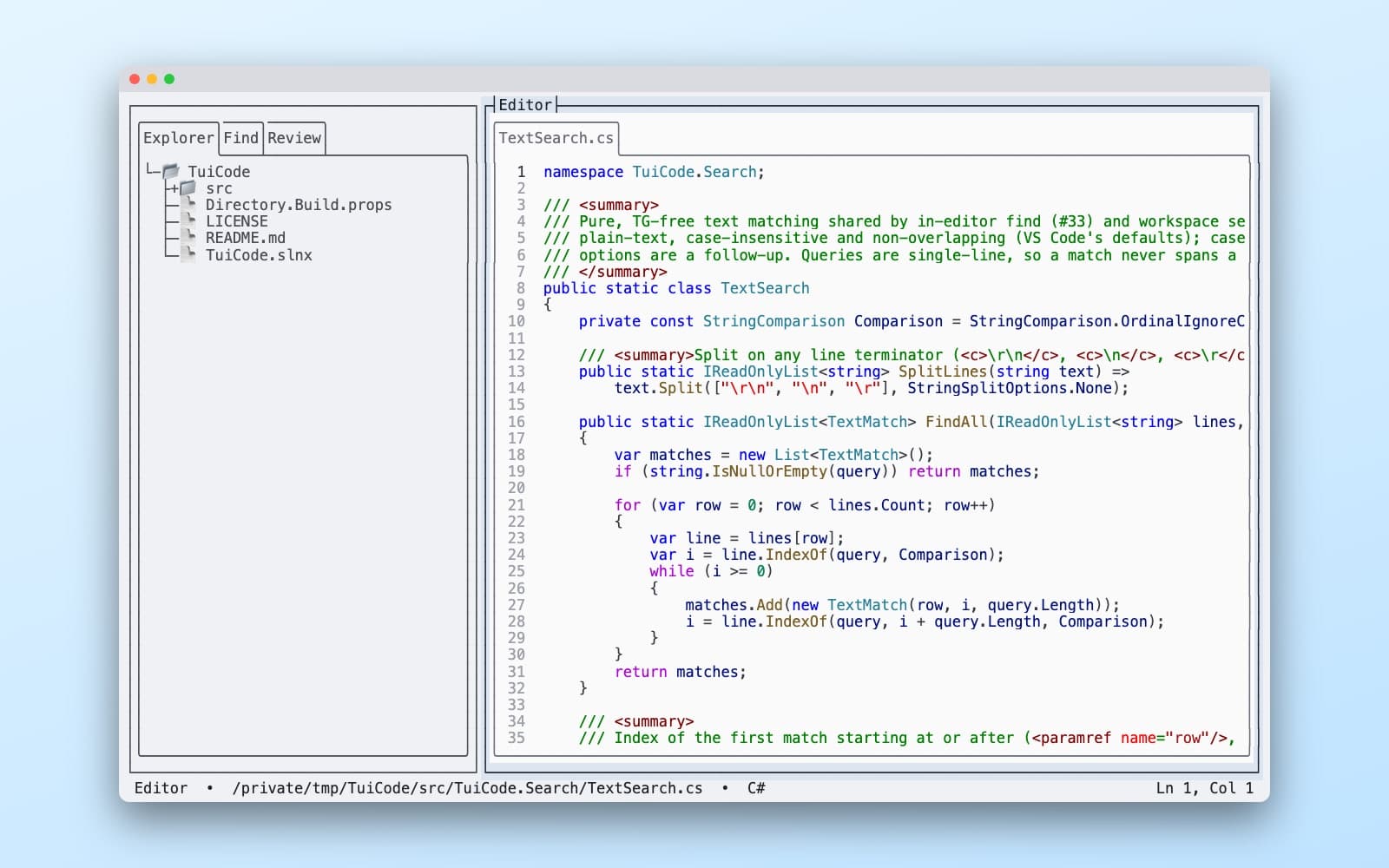
What it is
TuiCode is a code editor that runs inside your terminal. It borrows some things I love in the VS Code and JetBrains IDEs: an explorer, tabs, a command palette, themes, shortcuts you can rebind and navigating using code structure (e.g. find all usages). It works on macOS, Windows and Linux either locally or over SSH.
Why I built it
I love the terminal. I like that I can leave my hands on the keyboard instead of reaching for the mouse. But I'm a coder and I love all the features modern IDEs have too... I wanted all those features in my Terminal editor when logged into a remote machine over SSH or locally.
So I started TuiCode as an experiment, to see if I could have the VS Code way of working inside a terminal. Progress started off a little slow. It's the first time I've built a serious terminal application and I quickly started running into the strange things terminals do with keys, which is a story I wrote up below. However I've tweaked some of my workflows and now it's at the point where I'm starting to use TuiCode as my editor of choice. It's ultra fast to power up and feels super familiar coming from VS Code and the JetBrains IDEs (I don't have to retrain muscle memory for keyboard shortcuts etc.)
Where it's at
It's already fully featured - multiple cursors, column select, comment code with Ctrl+/, and find your way around with the explorer, goto symbols, a menu bar and command palette. You can compare the current buffer to what's on disk or specific git tags/revisions, do full code reviews from within TuiCode (similar to how you'd do these on GitHub)... just to name a few features
I'm currently building out support for language servers so that the structure of the code can be used to navigate the code base and find relevant information (e.g. 'find all uses of this symbol' or 'go to the declaration of this type').